

Ordering & proofs
How do I size and order cut-vinyl lettering?
Measure the available space before choosing a size. A long narrow logo and a round badge can have the same maximum dimension but feel very different on a bottle or package.
By the end: measure space, preserve proportions, include border, check text, confirm purchased boundary.

On this page

Size and proportions
Measure the available space before choosing a size. A long narrow logo and a round badge can have the same maximum dimension but feel very different on a bottle or package.
Keeping proportions means increasing width and height together. A 3 × 2-inch design becomes 6 × 4 inches when enlarged evenly. Forcing it into a 6 × 6-inch square would distort it unless you add space, crop, or redesign the layout.
Text behaves similarly. A short name and a long sentence constrained to the same total width will have different letter heights. Changing the font can change the height even when the overall width stays the same.
Use a paper cutout or measured template to check placement. A web preview is not a calibrated ruler. Confirm whether the displayed dimension refers to the peelable sticker, the outer backing, or another product-specific boundary.

Small lettering and fragile details
A detail that can be drawn on screen is not always practical at the finished size. Thin strokes, tiny open spaces inside letters, narrow connecting sections, and isolated dots can become hard to read or difficult to produce as cut vinyl.
Check your artwork at the intended physical size. Reduce unnecessary detail, strengthen delicate elements, increase the size, or choose a printed product when that better preserves the design. A more complex design does not automatically require changing your brand; sometimes a different production method is the right answer.
Read the proof, not just the thumbnail
Check the exact design and version, spelling, capitalization, punctuation, spacing, crop, proportions, finished dimensions, shape, border, material, and finish. For an order with several designs, review every design. Similar-looking versions can still contain meaningful differences.
Cutlines and other production guides may appear in the proof without being printed. An outline drawn into the actual artwork is different. Follow the labels and conventions of the actual proof you receive.
Approving an on-screen preview and requesting a separate Manual Proof are different paths. The ordering screen explains which action authorizes production. Do not assume a separate emailed proof will arrive after you already approved the live preview.
A digital proof is valuable for layout and specification review, but a monitor is not a physical color sample. Report requested changes before approval. After approval, contact us immediately about a change; whether it is possible depends on the job's stage.
Samples, quantity, and choosing a sensible run
A sample can help you evaluate material appearance, finish, artwork scale, or a particular surface, depending on what the sample offer includes. A generic material sample is not the same as a printed sample of your exact design.
For a larger project, confirm the design and intended use before committing to the full quantity. Compare the actual configured total and price per purchased unit, not a catalog placeholder or an old blog promotion.
Order quantities and pricing may apply per design, per sheet, per pack, or per configuration. Separate designs do not automatically share a price break. Use the current product or quote process for the arrangement you need.
Measure the design and the available space
Measure the usable placement area rather than the entire object. A bottle may have a flat section between shoulders and curves; a package may have folds or an opening that interrupts the label. A wall layout can have switches or trim that affect the placement. Make a paper cutout and hold it in place before choosing a size from the ordering list.
Confirm the boundary being measured. The peelable sticker’s finished outline can differ from the outer backing of a kiss-cut item or a sheet. A visible border can affect the total finished shape. Check the dimension labels in the product and proof so a width intended for the entire item is not mistaken for the printed logo alone.
Keep proportions deliberately. The helper multiplies original height by target width divided by original width. It assumes the whole design scales evenly and does not crop or add padding. If a square placement must contain a long logo, you may need space above and below it, a new layout, or a different shape. Stretching the original to fill the square changes the artwork.
Read text at the physical size. A long sentence and a short name fitted to the same overall width will have different letter heights. Font changes can also alter height and detail. Narrow strokes, letter counters, punctuation, and isolated dots deserve attention for cut vinyl. Increase the size, simplify with approval, or choose a printed construction when it better preserves the intended lettering.
Questions customers ask
Can I measure directly from the web preview?
A browser preview is not a calibrated ruler. Zoom, screen density, and window size change what you see. Use real measurements or an accurately printed template and confirm the product’s finished dimensions.
Will every logo fill a square size?
A long logo will not naturally fill a square without padding, cropping, redesign, or distortion. Review the final width and height instead of assuming the longest-side setting means both dimensions will be equal.
Does a font size give the decal’s finished height?
Design-software font size is not necessarily the physical height of the visible lettering or the entire decal. Measure the actual finished shapes and review width, height, spacing, accents, and punctuation.
What does the proportional calculator assume?
It assumes uniform scaling from the original width and height. It does not include a new border, backing, crop, or added text. The final proof and product boundary still need review.
Worked example: A 3 × 2-inch logo enlarged evenly
Doubling both dimensions gives 6 × 4 inches. Changing only the width to 6 inches would stretch the design if height stayed at 2. A 6 × 6-inch placement instead needs deliberate padding, cropping, or redesign. Make a paper cutout to compare the result against the real available space. A browser image is not a calibrated measurement.

Keep the artwork’s original color profile
We preserve your supplied artwork’s embedded profile during preparation, add the cut line, and send the job to the RIP queue. The RIP translates the source colors for the selected print setup. RGB originals are accepted; do not convert to a generic CMYK profile just to upload. Embed the existing profile where the export format supports it. See the full color-profile workflow and troubleshooting checklist.
Visual checks for this lesson


Keep the artwork and finished design together
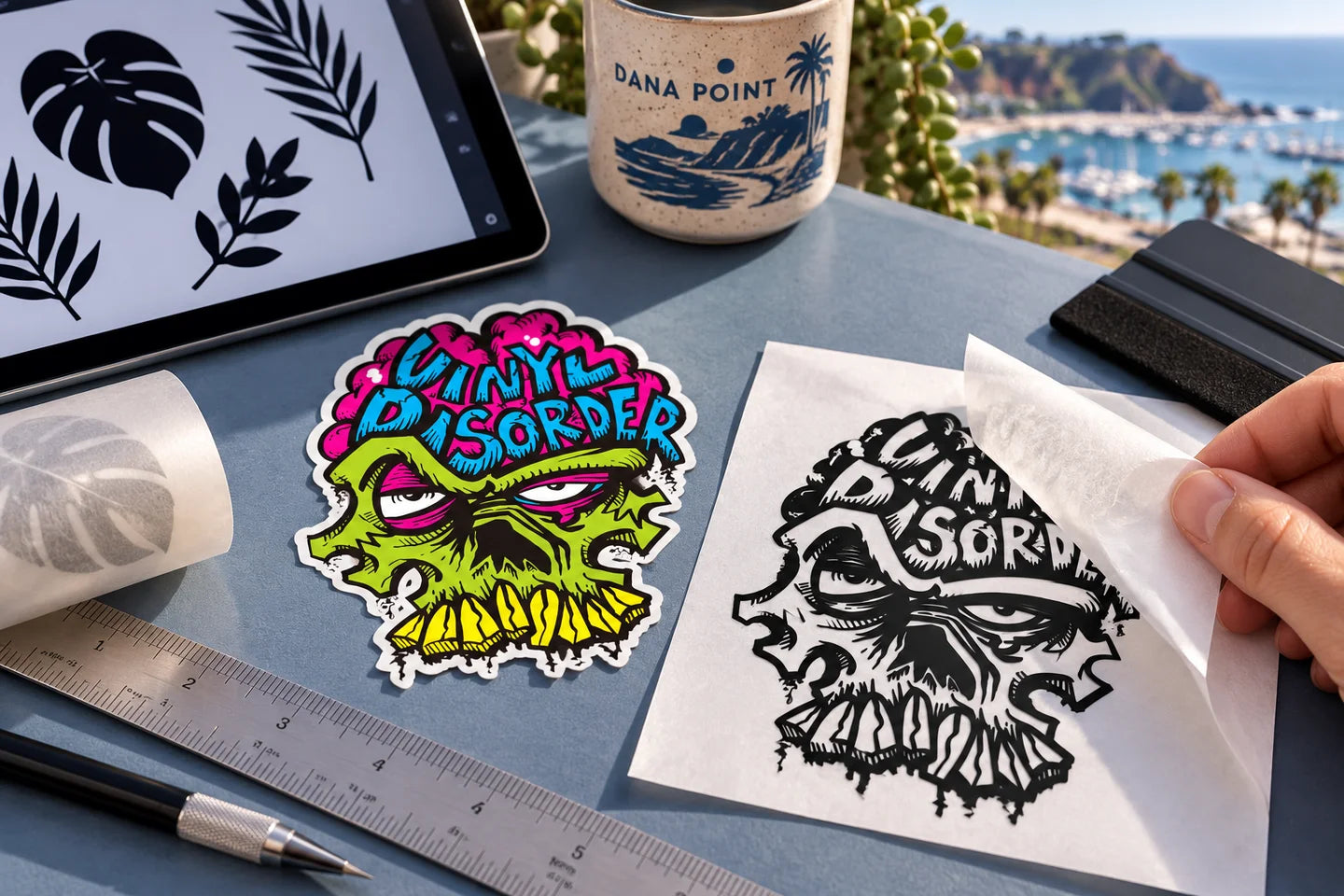
Worked fit: a long wordmark inside a window panel
Suppose your usable flat panel is 18 inches wide and 6 inches high. Your wordmark measures 12 by 3 inches in the original layout, a 4:1 ratio. At 16 inches wide, uniform scaling makes it 4 inches high. Centered in that panel, this illustrative layout leaves 1 inch on each side and 1 inch above and below. Those margins are a planning choice, not a required production allowance.
Measure the complete finished design, including accents, punctuation and any separate tagline. Adding a tagline beneath the wordmark changes the layout height. Do not use the original 4:1 ratio after adding content and assume everything still fits. Recheck the combined width and height before ordering.
- Measure the usable area between frames, handles, curves and obstructions.
- Scale the complete layout proportionally and record both finished dimensions.
- Make a paper reference at those dimensions. Check your printer's scale setting and measure the reference with a ruler.
- Position it on the intended surface and read it from the expected viewing distance.
- Confirm the purchased design boundary in the current product and proof.
For single-color lettering, use the Custom Decal product. For shaded or multicolor artwork, compare Cut to Shape Stickers. The choice affects what remains on the surface and how the item is installed; similar dimensions do not make the constructions interchangeable.
Inspect the spaces as carefully as the letters
The visible letter strokes are positive shapes. Counters and gaps are the negative spaces between or within them. For cut vinyl, unwanted material is removed during preparation, so a delicate stroke and a tiny gap can create different handling problems. Distressed lettering adds many small pieces and openings; isolated dots or accents also need to stay correctly positioned during transfer.
| Detail to inspect | Useful review request |
|---|---|
| Thin connections | Ask whether the exact finished-size shape is suitable for the selected cut-vinyl construction. |
| Tiny counters or tight letter gaps | Ask whether increasing size or adjusting spacing would preserve readability and handling. |
| Distressed fragments, dots and accents | Identify which small elements must remain. Discuss simplifying them or using a printed construction. |
Send the original editable artwork when available and identify the exact size and product. Any change to letter shapes, spacing or logo details needs your review. We do not replace a brand's lettering simply because a different font is easier to cut. There is no single minimum letter size that establishes suitability for every font, material and layout.
For font selection, use our font guide. For handling separate shapes after delivery, follow the cut-vinyl installation guide rather than ordinary peel-and-stick instructions.
Before you continue
- Measure space
- preserve proportions
- include border
- check text
- confirm purchased boundary
Keep this checklist with the exact artwork version and order configuration. If something is uncertain, resolve it before approval rather than relying on a note to change an already approved job.
Check the arithmetic
These helpers explain size and resolution. They do not inspect artwork or certify a file for production. With JavaScript off, divide pixels by finished inches for effective PPI; multiply original height by target width divided by original width for proportional height.
Effective resolution
Keep the same proportions
Find the product discussed in this guide
For single-color lettering and cut shapes, open the Custom Decal product and check its current colors, dimensions and artwork requirements. Photographs or multicolor shaded artwork may call for printed Cut to Shape Stickers instead.
Choose your next step
Compare materials · Compare finishes · Ask about your project
Inspect small lettering and connected details

Read the diagram
- Counter: the open area inside a letter, such as the triangular opening in A. Tiny counters can become hard to read or difficult to handle in a small cut-vinyl design.
- Connection: a narrow crossbar or bridge joins parts of a design. Delicate connections can behave differently in a printed sticker and a weeded cut-vinyl decal.
- Compare at finished size rather than judging only a large screen zoom. Keep the original editable artwork when adjusting spacing or strokes.
- Ask for review of the exact artwork and product. The stronger illustration is an example to discuss, not an approved universal minimum.
Build the project plan before approving artwork

Read the diagram
- Purpose and surface: an event giveaway, packaging label and window graphic have different construction and viewing needs. Start with the actual use.
- Finished size and artwork version: measure the available space and identify the exact file, spelling and design revision being ordered.
- Material, finish and quantity: choose a supported combination and confirm whether the purchased quantity means stickers, sheets or packs.
- Required date: work backward from the in-hand need using artwork readiness, approval where required, production and carrier transit. Confirm feasibility before ordering.
- Business example: for a box label, record the smooth application area and each design count. Event example: record the distribution count and venue arrival date. Review every configuration before approval.
Resize both dimensions; do not force a fit

Read the diagram
- Proportional resize: multiply both width and height by the same factor. A 3 x 2 inch design becomes 6 x 4 inches when enlarged by two.
- Forced square: changing that same artwork to 6 x 6 inches stretches its proportions. The diagram’s round feature becomes an ellipse. Use deliberate padding, cropping or redesign when a different footprint is needed.
- A short word and a sentence at the same available width will have different letter heights. Inspect the actual final dimensions and small details rather than assuming all text at one width is equally large.
- Measure the real placement and use the current builder’s proportion controls. A browser image is not calibrated to actual physical size.